Showing posts with label review. Show all posts

Friday, November 24, 2017

Roccat's Kone AIMO gaming mouse


Let's talk mice.  Sure, there's a big movement lately to laptops and portability, and it's a pain to bring mice with you in a laptop bag.  And then, it'll be super easy if it was wireless.

I was recently sent from Roccat, the Kone AIMO.

But Ryan, this mouse isn't wireless... yeah, that's true.  But it's also a pain to find out the mouse died at some point and then having to go find a battery.  At least a couple times a month in our office someone's battery is dead in their wireless so they're always having to see if it's really just dead or what, and then "where do we keep the batteries around here?"

So having something wired is fine.  Especially with this mouse.  Not only is the wire a braided nylon so that it can take some abuse and moving around, it's also not a short little cord either, almost 2m long!


That's the first thing I noticed about this mouse as I got it out of the box.

Then I plugged it in.  I'm using it at work so there's a bit of a longer wait for the USB item to be recognized etc... but once it did it lit up and let me move all around.


First up when you use it you'll notice there are lots of buttons.  LOTS.

12 different buttons.

The first ones you'll typically use are the left/right click, the wheel (and did you know the wheel is clickable too?  It's my favourite button to use).

But the first ones I typically use on a mouse like this is the 'sensitivity' ones.  They're just under the wheel.  There's a +/- on them, and they adjust the DPI sensitivity of the laser underneath so that your mouse pointer either FLIES across the screen or CRAWLS.

I like it closer to 'flying' than slow.  But it's so nice to be able to adjust it to the exact point you like.

The other buttons you get are 'thumb buttons' ... if you're right-handed using it the 2 buttons are right where your thumb would rest.  Essentially these are used for 'back/forward' when browsing.

Now, here's the cool bit, you can even 'tilt' the scroll wheel.  Give it a nudge in one direction or the other and you'll hear it click.  I can't find that it does anything in a normal setting, so depending on what you're doing you might be able to assign it to an action.

Speaking of 'assigning' there's a last button called the "Easy+Shift", it's below the thumb buttons and pressing it (you'll notice the light changes) and then you can click one of the other buttons for more features.  You can see above for the default assignment.  But with the software installed you can do a myriad of actions for the right combination.

And really this is where this mouse is for.  It's for, typically, the gamer, who needs some real customization in their mouse to help them make doing things in game easier.  And I hope you're a serious gamer, because this mouse will cost you seriously.

$160CDN on Amazon.ca

Ouch.

But it feels so nice...

It is really 'ergonomic' which is a $10 word for 'feels comfy' and getting it to the right sensitivity I like helps make it feel SUPER fluid when using it and same with the keys, they just have that nice 'squeeze' feel to it.

Monday, September 25, 2017

Clip keychain for your charging cord

did it really need an instruction manual?

So, even though I have a phone that can last a long time on the battery, it's still good to have a cord to plug it in when I need it.

I have several cords.  What I don't have cords for is my work phone, my iPhone 6S.  That uses a special lightning connector and I don't have cables with that.  So double with the fact that my iPhone has terrible battery... having some cable to take with me is important.

Plus, having something that doesn't add bulk to the pocket is important too.

Dodocool has this tiny cable on a keychain ring with a clip on it.

Sure, for $13CDN it's a little expensive for just a cable ... but maybe that's normal for 'apple taxed' accessories.  The big advantage is that it has a little leather 'holder' to keep the cable kind of wrapped around and then a bit of a 'biner clip to connect it to your keyring.


There's a couple ways you could have it attached, depends on your key set up.  Maybe keyring connected to the cable 'loop' that protrudes out the end?  The issue comes in that there's nothing really holding the cable IN the leather bit, so technically the cable could just slide out at any time... so maybe using that loop helps keep it there.

To date, I haven't had any issue with that.

So, personally, I just leave this in my car ready to plug in my phone to my car charger should my phone need it (I have cables at the office and at home, so this is for on the go).  But I could easily clip it to a laptop bag, or a jacket or whatever.

Pretty handy.

Source:  https://www.dodocool.com/p-da74rg.html


Himalayan Salt Lamp - a funky nightlight


Okay, so I had a colleague who liked all these sorts of hokey 'better living' items.

She liked the diffuser I had once had the chance to review, and it's still over at her desk (even though she's no longer there).

She talked about her Himalayan Salt lamp, and what a positive air it gave off in her home, so when talking with dodocool about products to review, I mentioned their lamp as a possibility.  I really liked my Air Purifier so can't hurt right?

You get the lamp, and there's a little bulb under the thick crystalline casing.  The idea is that the heat from the bulb is supposed to 'activate' the salt, and then depending on your take on the science, whether it's an aroma or 'ions' it emits it's supposed to enhance the surroundings.

I didn't get that.  To me, it looked like a funky nightlight.  My wife made the same comment.  There was no difference we noticed after about a week of using it on and off (we tried different scenarios, on all night, on all day so it'd be 'active' when we got home, etc...).

We didn't notice a change in the air quality, a scent, or 'ions' (my inner science geek is just shuddering at even mentioning that that could happen).

What I did notice was you have to be careful where you put the thing.  Don't set it down as the salt is naturally hygroscopic, as such it's pulling in water from the air and then when it's sitting on a sill the sill gets to be a little 'greasy' from whatever else is on the salt and left behind.

So, be cautious if you remove it from the plug.

Speaking of the plug, it was nice that the plug has a little 'clip' to allow you to rotate the prong end depending on how you have your outlet set up so that it can always be 'up'.

As a $23 nightlight, it's not so amazing.  As a salt lamp, maybe your own hopes and dreams will provide a placebo effect (as the science behind it is unproven).

Source:  https://www.dodocool.com/p-dh03wus.html


Tuesday, March 7, 2017

A neat use for a night light

So, I review things... over at Android Coliseum.  Mostly, it's stuff for cellphones.  Accessories, phones, tablets.  Whatever.

Sometimes the companies that I work with just end up sending me some things I don't know how to review.  TVs, oil diffusers...

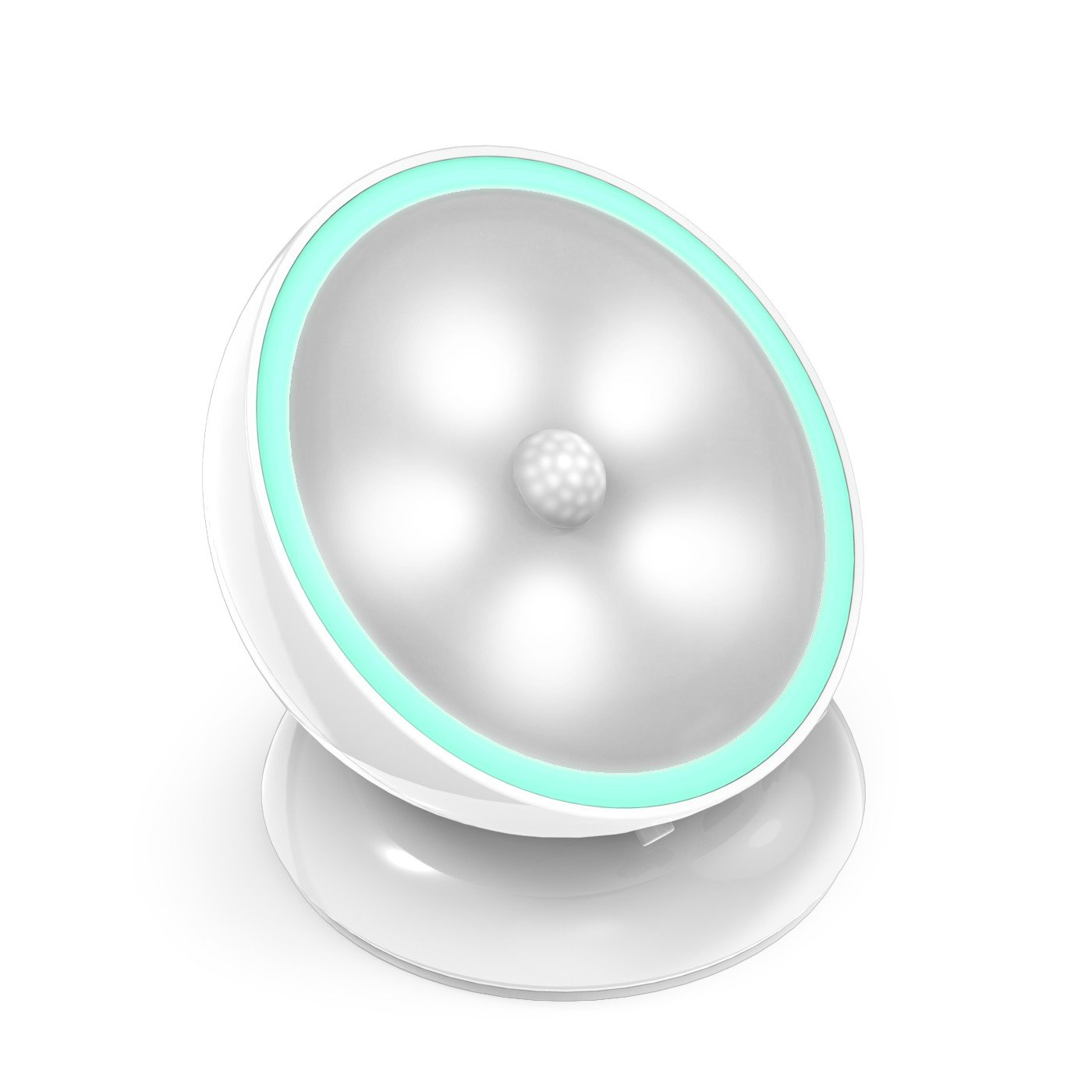
This time it was an OxyLED Night Light (the N03).  It's cool and all but I don't know how to review something like this.


The idea is that it's a rechargeable little bulb (and it recharges by microUSB, I've got a ton of those cables) that magnetically attaches to a little base and with the magnet holding it in place you can still swivel it around a bit so that it angles the way you want.

The base has the magnet and then also two slots to get it to mount on a wall or a heavy duty sticker to affix it somewhere.

I had no idea where it was going to go.

I tested it out a bit.  Set it to 'auto' and wait for the room to go dark, and then the sensor in the middle to detect motion and then it comes on... boom.  It has to be pretty dark for it to work.  There's a low or a high mode for the bulb too.

My trick is still... where should it go?  I didn't want to drill holes in the wall for just a tiny thing.  Would the sticker really hold?

Then it struck me.  The base is magnetic.  It can sit against the fridge.

Turns out that's very useful.  Often I'll be down in my basement writing away and come up to bed when everybody's long since asleep and the lights are all off.  Going upstairs I go straight into the kitchen and then would have to fumble a bit to find the switch to turn the light on.  Passing through the kitchen I'll have to turn it off again.  So turn it on briefly, get my bearings, turn it off and make my way through the dark until the next area.

Well, with this, as soon as I get into the top stair, the light goes on, illuminates my way, and then walk and after a moment or so, it turns off.  It's the perfect amount of timing.  And it lasts like a week or more before it needs to be charged.

Thumbs up for this thing... sometimes it's the small things done in unique ways that amazes you.

Buy it on Amazon for $25CDN

Wednesday, July 20, 2016

Samsung Galaxy Tab Pro S - excites me about a laptop again

So, it's no secret to any of you that now and again I review some tech things on my site I started up +Android Coliseum.  It's fun!  Now and again I'll get requests to view some item that doesn't quite fit in the Android realm.  Most of the time I just say no, thanks but no thanks.  I like to keep topics clean there.

But when +Samsung Canada allowed me a shot to take a look at the latest tablet, the Tab Pro S, it took me a time realize it wasn't an Android tablet.  All the same I was very interested.

See, I used to love netbooks.  I don't know why... I just did.  They weren't really laptops, just smaller versions.  As much as laptops are meant to be 'portable' and mobile, a lot of them just really weren't.  A netbook was much easier to take with you.

And this Tab was pretty much that, but without sacrificing on the screen size or the guts to allow you to do what you need to do.

It reinvigorated me again for the love of a device that I could take with me and be able to do ALL I needed without really much sacrifice.  It unshackled me from my desktop to do all the 'real work' I would have to do for the site and whatever else, because I had this with me most places.

So, first the specs:


  • 12" 2160x1440
  • Intel M 2.2GHz x2
  • 4GB
  • 128GB SSD storage
  • 5200mAh battery & rapid charging
  • 5MP/5MP
  • Windows 10


The first thing to get used to on it was the keyboard.  It comes with keyboard that wraps around like a case (a la, the windows surface devices).  I'd not used one before, so figuring out the folds so it lays/sits properly took me a bit.  After a moment you'd feel like an idiot not knowing.  The angle works just right for sitting up, the laying back option isn't as conducive ... or so I've not found a situation.

The case has some strong magnets.  I mean strong... it's hard to get off of the back, and the way it clicks into the keyboard... it's sturdy, nothing loose or falling off any time soon.

The keyboard itself feels a little 'thin' and as I'm typing now on the arm rest of my couch it starts to feel like it's bending over the arch.  That being said, for the past 2 weeks and a bit I've been writing everything on this in pretty much the same position and there hasn't been any issue, no signs of any bending.

It's unfortunate the keyboard layout is of the new style... where the \ key is taking up space where I normally find my enter key, and the left shift isn't as wide as there's a \ key there (why does there need to be two slashes?)... so it's taking me some time to get used to it.

The trackpad is good, very responsive and it's funny how quickly you notice how often you use a right click, or middle click button as there's none on the trackpad.  You can tap with 2 fingers for right click, but 3 fingers brings up Cortana.

Connecting the tablet to the keyboard has it in 'pc mode' and then disconnecting it, you can have it in 'tablet mode'... the only difference I see is that the start menu goes away to have just a few icons for switching.


Okay, going around the rest of the tablet, there's a power button and a volume rocker on the 'top' of the device, and then there's a button on the left top that's used for the start button (seems a bit odd).


Aside from that there's a headphone jack on the right bottom side along with the USB-C connector.


That's about the only downside to it - as much as USB-C is the way of the future, there's not a lot of accessories for it.  If I wanted to plug in a mouse (sure I could get a bluetooth one) or a data key... there's nothing that I have that would work without having to Google for some adapters).

On the usage end... it performs admirably.  I used it to write the articles on the site, watch Netflix and Kodi and then there's a few Steam games here and there (I couldn't use my controller though, as it's USB).

But how about battery?  Well, I've been writing articles for the past couple hours and it's at 63%, saying there's 5h18m left to go.  Not too bad.

Best about it is that because it's using the quick charge, it doesn't take all that long to re-invigorate that battery, a little top up here and there and we're good.  The charger is just a small wall wort and then the cable is ... well not quite 6ft long, but it's long enough so you don't have to worry.


The display is perfect, nice vividity (yes, I made that word up) and holds up well in sunlit areas (just a word of note that if you're using polarized sunglasses that I have, the polarization usually affects items in landscape mode, and when it's attached to the keyboard it is in landscape mode, but wasn't totally polarized out.

Now, how does Samsung want you to integrate this with all the other devices you have?  They have Samsung Flow.  Look into it and you'll see why there's an NFC logo on the keyboard next to the trackpad.  I was hoping we could have used that as a security thing ... tap your phone, or my ring and then it'd bypass the password.

But no... Samsung Flow lets you tap your phone and install the Flow app, which then lets the computer have a companion app to share your notifications.  Unfortunately, I've been using the Moto G4 Plus which is lacking in the NFC department, so I didn't get the chance to give that a go.

Overall, for the $1300 ... it's a lot to pay, but you get a lot.  Especially the 'smug' feeling of just packing up your tablet and carrying it easily just about anywhere you want.  That is a very satisfying feeling to have all that power in just a few inches packed away and you could take it up and go, just like that.

Like I said, it has me very excited about mobile computing, and not just phones that do it all, because, as much as I hate to admit it, sometimes you do just need a PC to sit down with, with a good size screen and keyboard to get some real work done.

This lets me have it all.  When I want to use my phone for most of my day to day interactions, it's fine. But when I want to get into it, a small binder is nearby for me to pull out and get busy.